Showing posts with label photography. Show all posts

Thursday, June 25, 2020

Continuous Learning: Nature

During Continuous Learning, I included several choice board options that involved nature. I find that getting outside really improves my mood so I figured it would be good for students, too. I teach in a rural area so these were accessible options for my middle and high school students.

Take a Photo That Represents Spring


Spend Time in Nature, Take a Photo to Document


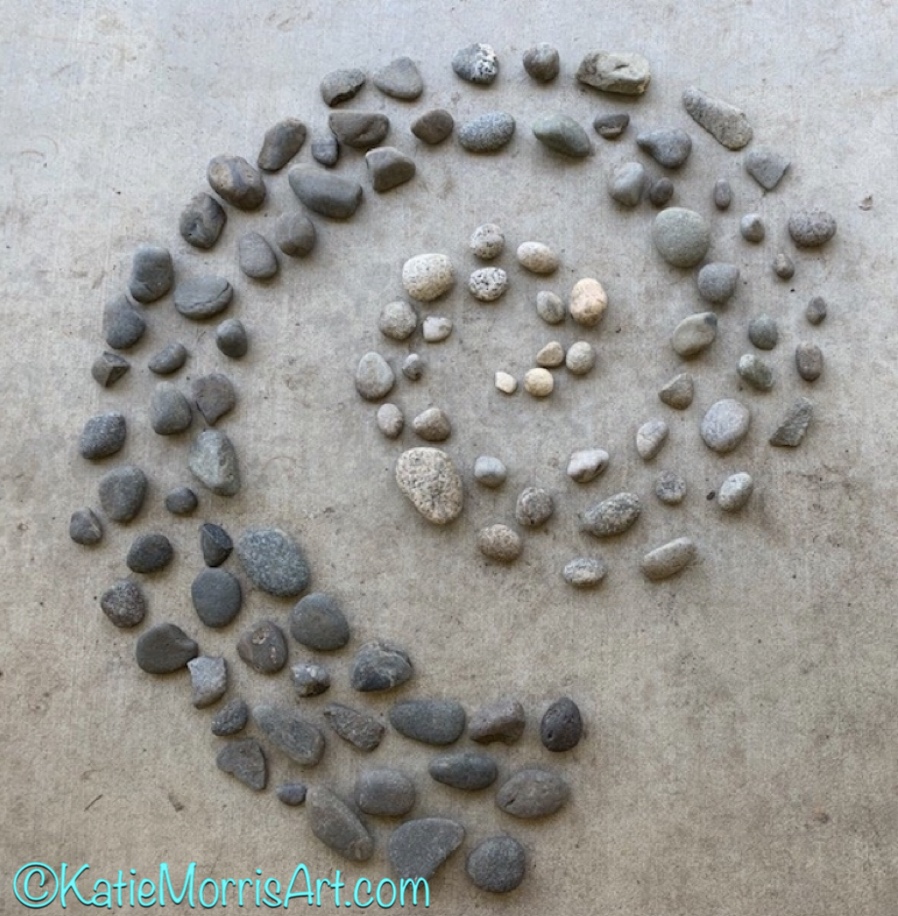
Andy Goldsworthy-Inspired Nature Artwork
I love how the student organized the rocks by value
Another spiral. I love the texture of the clover showing through the sticks.

My example made with things found in my yard

Friday, June 19, 2020

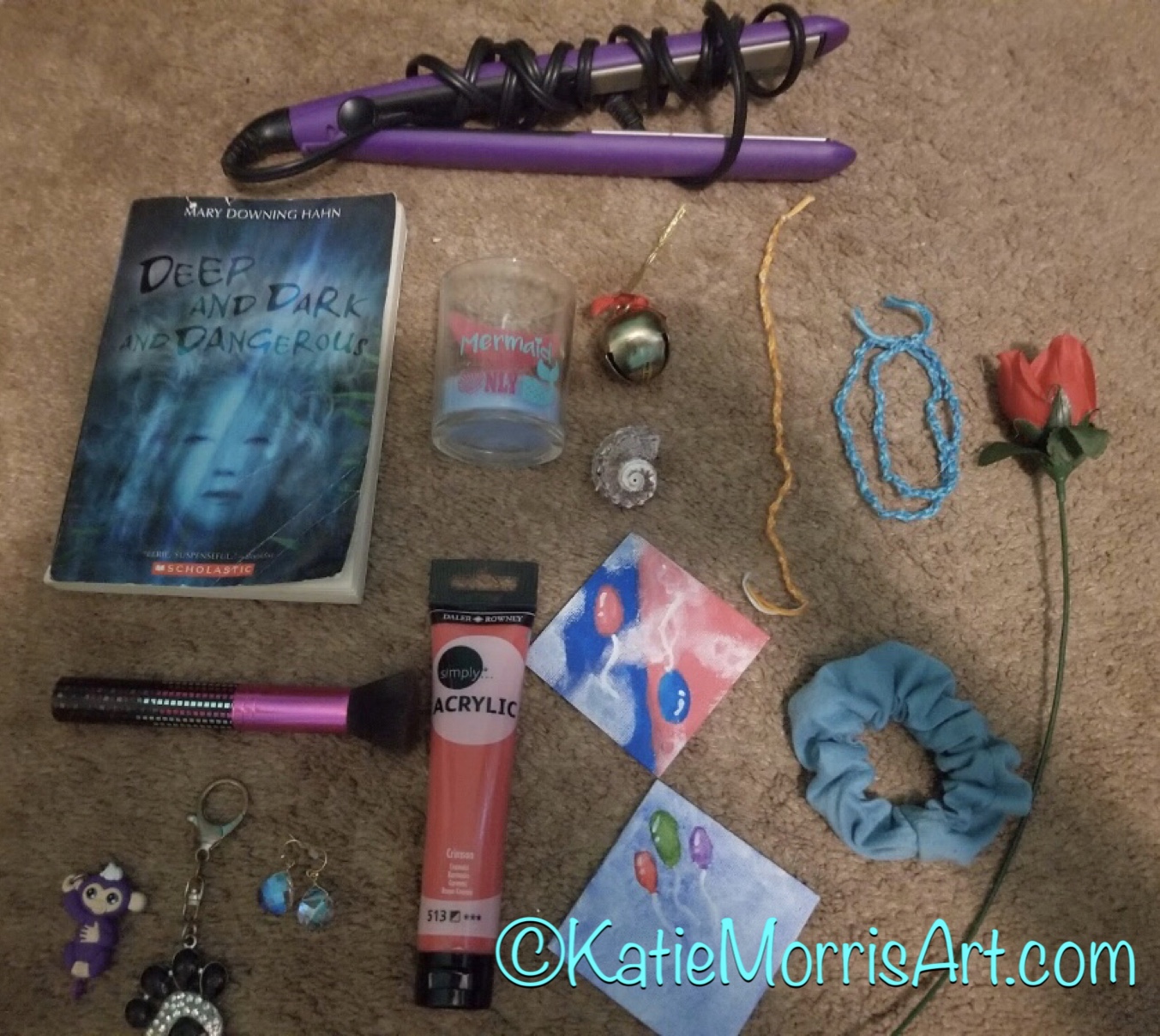
Things Organized Neatly- Self Portrait in Objects

Next up in art challenges that don't require art supplies, Things Organized Neatly- Self Portrait in Objects! I came across #ThingsOrganizedNeatly last year and used it as a challenge for Photo Friday last fall, but then my KAEA friend, Nicky Bowers gave me an idea to add the self-portrait element after she had her students arrange and photograph at 15 objects that represented them.
While some students didn't understand the concept of composition and kind of just threw the items in a pile, some understood and did a good job. I think if we happen to be online next year, I will probably give a handful of choices instead of ALL THE CHOICES at once so we can go over the concepts behind each one.


Some of the high school students included a list of objects and the reasoning for including them and that was interesting to read!


This post includes work from middle and high school students. I think it worked well with both age groups.

Wednesday, June 3, 2020

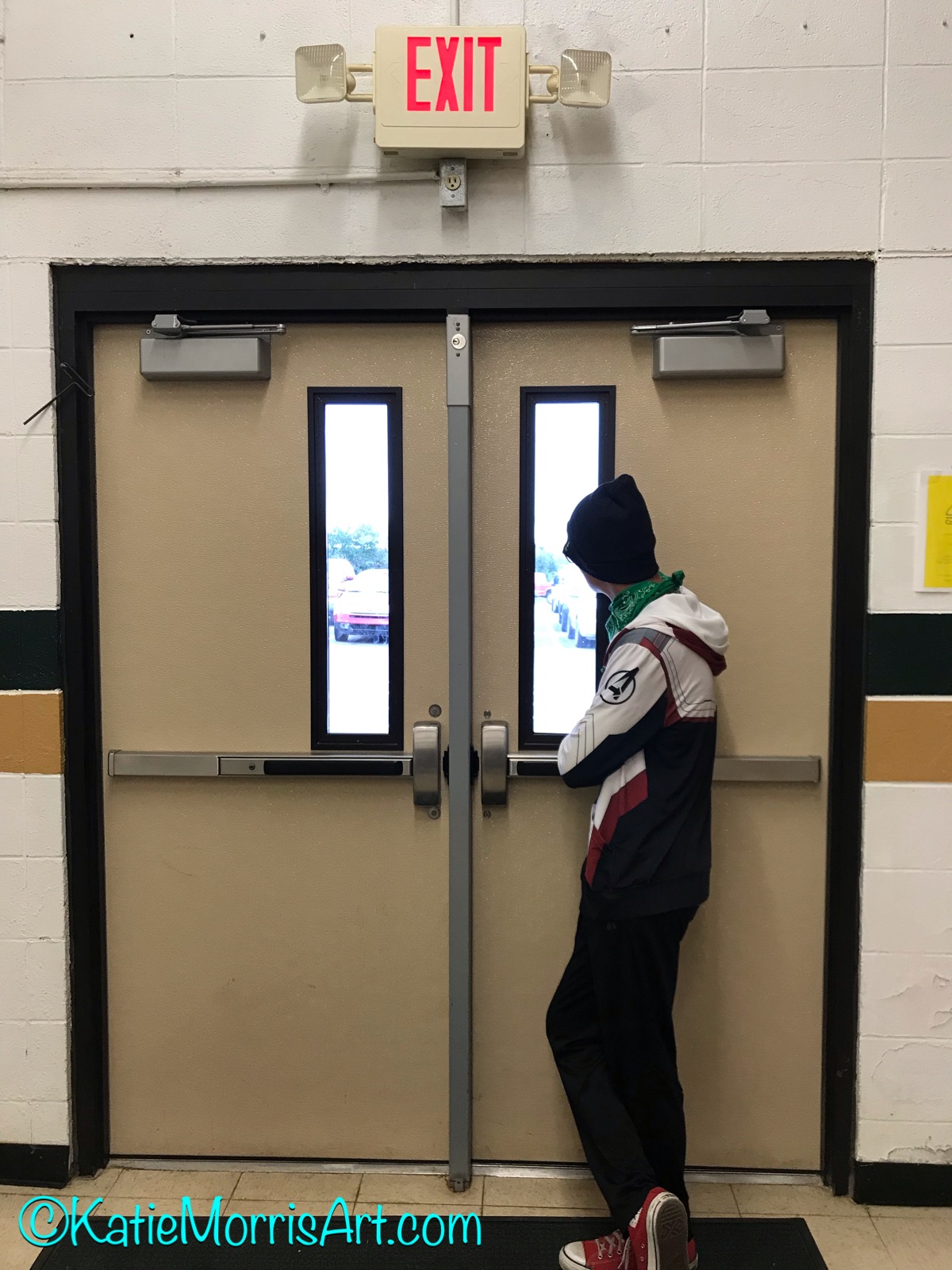
Forced Perspective Photography

I've been done with this school year for a little while now so I wanted to share some of my middle and high school students' work from Continuous Learning. 

I used choice boards for the majority of the 7 weeks and had most of the same choices for middle and high school students. I felt that the majority of the students would want some type of starting point as opposed to full choice and I made sure to include options that could be done on their computers, without internet, with art supplies, without art supplies, and that would take varying amounts of time so that the students could all choose something that would work best for them.


Several options incorporated photography since the majority of students have cell phones available for use. Forced perspective photography was one of the options. The middle school students especially seemed to enjoy this option and the opportunity to pull out childhood toys for models and props.


Siblings and pets also helped out!

Dear Photograph
One of the options for high school students, though not what you would think of as forced perspective, was "Dear Photograph". Students took a picture of a photo from the past in the present and then wrote a short letter to the photograph reflecting on how things have changed and stayed the same. I usually use this option as my senior students' final but due to moving online, I only had a few seniors. The students did a nice job and I enjoyed seeing what they wrote about the photos!

Wednesday, January 15, 2020

Photo Friday: #ThingsOrganizedNeatly


Have you ever looked at #ThingsOrganizedNeatly on instagram? It is what my students would call #satisfying.
It also became a Photo Friday challenge. Students could bring in objects or use what they found in the art room. Most just used tools or supplies found in the classroom.
Lots of brushes!

Vintage thread spools that I played with.
Letter magnets
Straws and popsicle sticks

Thursday, December 26, 2019

Photo Friday: Rule of Thirds

I have had students ask me about taking a photography class but my high school only offers 3 art classes. Because there is a real interest in photography, I decided to be more intentional about incorporating digital photography by starting "Photo Friday" in my Computer Graphics class. Each week Friday is reserved for photography and we've been working through understanding how to use the camera, how to make effective compositions, themes, etc. Some of the ideas have been based on photography assignments I had in the past and some have come from things the students want to learn or try out.
One of the earliest assignments we had was to focus on the Rule of Thirds. I gave a quick explanation about how the "dead center" can be kind of a boring place to put a focal point and shifting off to one of the "tic tac toe" lines or "power points" where they intersect can be more interesting. I also tell students that the rule is more of a suggestion because they can be broken intentionally to achieve an effect.
 
After discussing the concept, we set out around the school and campus to take pictures. I asked students to explore and to turn in 2 photos at the end of class- one portrait and one "other".
Now that I'm posting these it's obvious to me we need to work on actually turning the photos in!

Monday, June 6, 2016

Digital Hand Coloring

Digital Hand Coloring


Before color photography, photos were sometimes colored by hand. It is easy to create the look of hand-colored photographs using Photoshop or Photoshop Elements. You will learn to use different selection tools- magic wand, magnetic or polygonal lasso, selection brush, etc. based on whichever is most appropriate fro the section of the photo you are working on, and how to adjust color with the hue and saturation tool. The benefit of using the hue and saturation tool is that it maintains the value changes within your selection, allowing you to keep the details.
To see the lesson plan and download a handout, check out the resource I created on the smARTteacher.

Supplies needed
Old black and white photos
Scanner
Student computers
Photoshop (we started the year with Adobe Photoshop 3.0 and it worked as well as updated versions for this task.)


1.    Scan a black and white photo with a resolution of 300 ppi or higher. (300 will allow you to print at the actual size, 600 will allow you to double the print size.) *If you do not have a black and white photo, you can start with a colored photo and then convert it to black and white.
2.    Open your scanned photo in Photoshop. Decide which area you’d like to start with. If I’m working on a portrait, I usually start with the skin.
3.    Use the most appropriate selection tool to select all of one section- all of the skin, all of a piece of clothing, etc. My students were usually the most comfortable with the selection brush. If the object you are selecting has clear edges and a lot of contrast with the adjacent areas, you may be able to use the magic wand tool, or the magnetic lasso tool. If the area you are selecting has straight edges, you can use the polygonal lasso tool.
4.    Open the Hue and Saturation menu. Shortcut= Command+U or Ctrl+U.
5.    Click the “colorize” box.
6.    Drag the arrow for the hue to change the color, for the saturation to change the intensity of the color, and lightness to change the value. When you are satisfied, click ok and then deselect the area. (Command+D or Ctrl+D).

7.    Repeat the steps until finished.  You may color the entire photo or just select areas. It is helpful to zoom in closely to make sure you didn’t miss any edges.
Here is a photo I digitally hand colored as a Christmas gift when I was in college. The photo is of my great grandma, my grandpa (oldest child), and his brother. Grandma Pat said she thought the dress in the picture really was green so I guessed correctly!

Monday, September 7, 2015

Painting with Light

In preparation for taking school pictures, Computer Graphics students have been learning about photography. Yes, I said taking school pictures. My school district started that plan several years ago and it's been successful for them. The art students take the photos (we are part of the CTE pathway) and the business classes handle the orders. School pictures start tomorrow and will be held every morning this week.


I'm a fan of etymology and I think explaining root words can help students better understand the meaning and get better at discerning the meanings of unfamiliar words. If you break the word "photograph" down into its roots, photo means light and graph means writing so photography means light writing. It makes sense- early photographs were made by exposing silver particles on treated plates to light which recorded the image. In our photography unit, we watched a TED-Ed video about the history of photography, watched a video about aperture settings by Jared at FroKnowsPhoto, practiced aperture and shutter speed settings outside, attempted forced perspective photography (more on that later), had a trial run of school pictures, and painted with light.

One fun way to really drive home the point about "light writing" is to "paint" with light.We made our light paintings by going into a totally dark room and taking a long exposure photograph while we used lights to write, draw, or paint. The path of the light and anything it shows is recorded on the image. We used a tripod for our 10 second exposures and tried out different ideas. You don't need a fancy camera to try light painting, you just need to be able to change the shutter speed and put the camera on a tripod.
Students took turns directing and posing, even though some needed a little encouragement to get involved.

 Above left, a student discovered that he could shine a bright light from underneath one of the tables to make a cool pattern on top. Above right, a student used the multicolored screen on her phone as a light.
It took a few tries but we finally got a pretty good sword fight photo.

For now, I'm just planning on this being a one day exploration. If students develop some ideas, we may reserve another day in a few weeks to go back to the basement for more light writing. I also may check out digital cameras to students who wish to do light painting or night photography at home.

Light painting lesson plan available on the smARTteacher: http://www.thesmartteacher.com/exchange/resource/1656

Here's a video we watched about light painting the day before the activity:


The history of photography video we watched on the first day is here: