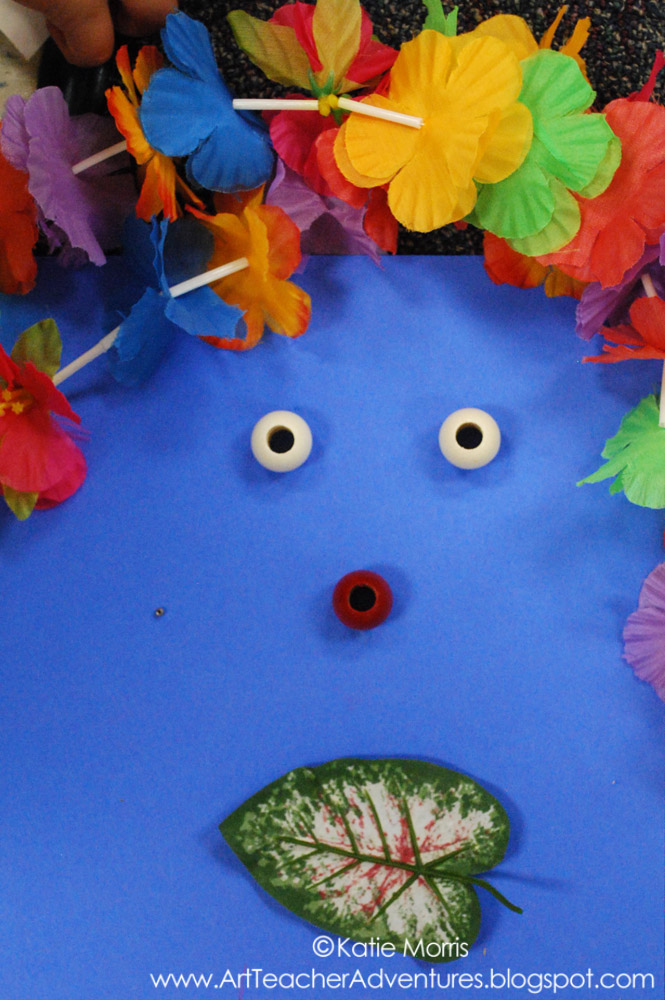
After I learned about
Hanoch Piven, I immediately came up with an idea for a self portrait project. I really like this project and have to brag a little- the students and all the teachers and my principal LOVED this project! Piven is an artist who uses real objects that represent a person to make their portrait. You can see lots of great examples on his
website. On the first class period of this project, I introduced the artist and we spent some time exploring his website and blog. The students were super excited and several wrote down the name of his website so they could show their parents at home. We talked about how the portraits were not totally realistic, more like caricatures that show personality. I explained the assignment to the students: make a mixed media self portrait that shows your personality. With the remaining time in the first class, the students the students drew a simplified outline for their portraits. I asked them to draw their heads at least as big as their hands. To get rid of the floating head thing that was going on, the students either added a neck and shoulders or some made tiny bodies.

In the second class, students used tempera paint to add color. We talked about dry brush and I tried to emphasize not adding water to the tempera paint since we were painting on construction paper. I went around and put out paint on palettes trying to match skin tones and hair color. I asked the students what colors they wanted for their shirts and background. There is probably a better way I could have handled distributing paint since that's all I did the whole class but I was afraid of how much would get wasted if I just let the students have at it. Maybe after teaching a couple more years I won't care so much! I usually use tempera cakes with my younger students but wanted to use liquid tempera for this project. Some classes were really good listeners and had plenty of time to paint their backgrounds, some classes were a little more talkative and didn't have time to paint their backgrounds. Either way looked fine in the end.

In the third class period, the students looked through magazines and catalogs for images that they could cut out to use as symbols for their facial features and as symbols to represent their personality. I knew that it wouldn't work to use real objects like the artist. I don't see my students often enough for them to remember to bring things to Art class and the income level is pretty low. I thought that this worked pretty well as a substitute!
If you do this project, you REALLY need to talk to the students about carefully trimming around the object. Some students just kind of chopped out the pictures so I tried to check before they glued down to make sure the whole background was removed. I eventually started showing a picture that was carefully cut and one that was not carefully cut so they could see the difference and how craftsmanship improves your artwork. Another thing that a lot of students tried to do at first was to just cut out part of the picture of the object. Example: A student shows me his artwork and I ask what his nose was made of. He tells me the "handle of a magnifying glass". I asked why he didn't cut out the whole thing so we could tell what it was, and I could tell it never occurred to him! It's a little harder to figure out the symbolism if you can't tell what the object is. I tried to find a variety of magazines for the students to use and the best thing I am SO glad I grabbed, were supply catalogs that were being recycled in the work room! With so many of my students especially interested in PE and sports, the catalog was a perfect place for them to find pictures without a hand holding onto the football or something else covering part of it. I wish I had not put in the Oriental Trade Co. catalog, mostly because students fought over it and fixated on one little category like Halloween toys. Oh! I also did not let students cut out pictures of noses, eyes, etc. to make their facial features. I wanted a little more creativity than that. (I'm trying to record all of this so I can remember it next year!)
Here are some photos of the student artwork, though I could have posted all 100+ of them!
I love how this student decided to use school supplies to make a body! LOVE the pencil arms and legs!
He didn't listen to my "glue everything you have cut out now because we are almost out of time" warning and as a result doesn't have eyes, but I still really like the milkshake for a nose and half a doughnut for a mouth.
I am trying really hard to make descriptions to hang next to the projects so people understand the what, why, and how!

 Here's a fun lesson I did with my Computer Graphics class at the beginning of the semester. In first semester we focused on a lot of different tools in Photoshop but for this first project of the new semester I wanted students to practice different ways of obtaining images. This time they were not allowed to use any images they found online, but instead could use the scanner and digital camera.
 Create a self portrait using found objects for facial features. Consider using objects that represent you.